SSL/TLS - Operation and Packet Flows
PKI, certificates and OpenSSL, then the SSL/TLS handshake step by step and how key exchange works.
What are SSL, TLS, and PKI?
What are SSL and TLS, and how do they relate to PKI? And what the heck is PKI? We'll start backwards. PKI stands for Public Key Infrastructure. It is, at its most basic, simply a way of managing trust relationships for use with digital certificates. Digital certificates are in turn used by SSL/TLS to create secure and trusted communications between clients and servers over an untrusted network in situations where neither would have been able to share or setup encryption information before the transaction was begun. SSL stands for Secure Sockets Layer and TLS stands for Transport Layer Security. They are both standards for encrypting data as mentioned above. TLS can be looked at as just a newer, more secure version of SSL.
We will use OpenSSL to demonstrate some of the concepts of PKI's and SSL/TLS. OpenSSL is a toolkit that lets us use, configure and manipulate the related PKI components, as well as implement SSL.
Asymmetric Cryptography
SSL generally begins with public/private key (asymmetric) cryptography.

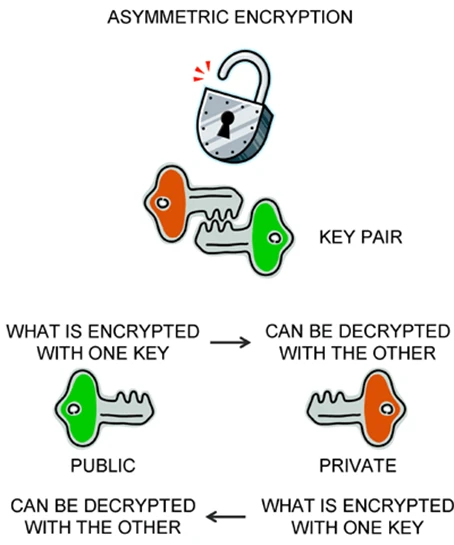
In this use, SSL/TLS will use a server's public key to authenticate the server and to encrypt a negotiation of a randomly generated, session-specific, shared key and cipher (done in the ClientKeyExchange message during the SSL handshake). These asymmetric keys have two important properties:
(1) Data encrypted by the client using the public key can be decrypted only by the server's private key. Due to this property of the keys, the client is able to send secure data that can be understood only by the server.
(2) Data encrypted by the server's private key can only be decrypted using the public key. This property is useful in a client level authentication of the server. If the server sends a known message (say the name of the server), the client can be sure that it is talking to the authentic server and not an imposter if it is successfully able to decrypt the message using the public key.
We'll discuss using these keys, and PKI to create or obtain certificates for use with SSL/TLS. There are two types of common keys that are used: RSA and DSA. RSA keys can be used for both encryption and signing. DSA keys can only be used for signing. We usually use RSA. When creating the RSA key, one can encrypt the key itself with a password. But every time that the key needs to be examined, the password will need to be entered. If the server has no means of doing this automatically, then this could be a bad idea for use with a server cert. A 2048-bit key is becoming standard. 512 is considered insecure, and 1024 is considered no longer future-safe. These keys are generally kept in PEM (Privacy Enhanced Mail) form (Base64 encoded DER).
Working with OpenSSL
To generate an RSA key do the following (remove the '-des3' option to turn off password protection):
openssl genrsa -des3 -out privatekey.key 2048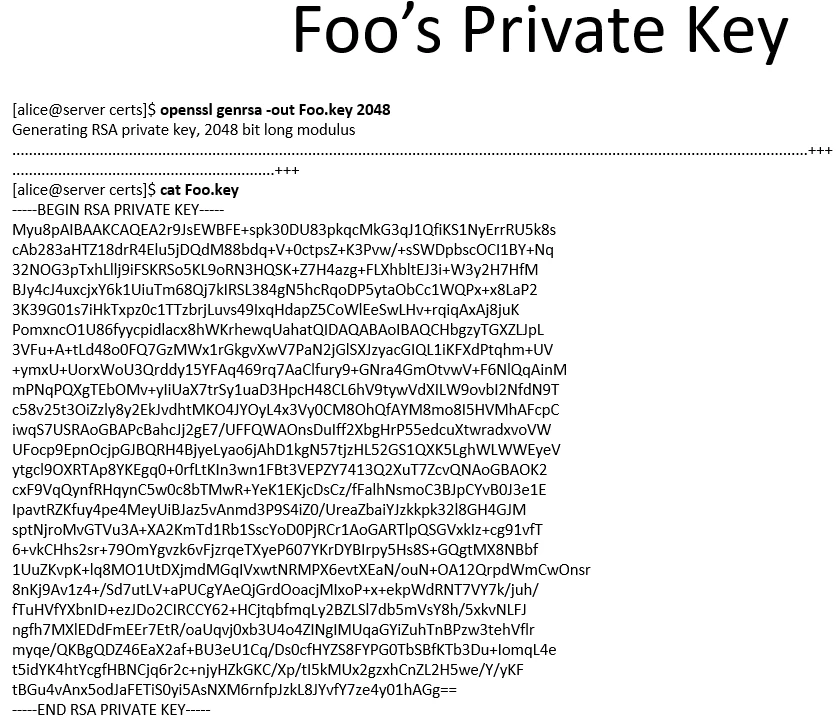
This key is needed in order to generate a Certificate Signing Request (CSR) and the associated public key. DO NOT send the private key to the Certificate Authority! They do not need it. Always keep the private key safe and private.

The CA's private key is used by the CA to sign the CSR you will generate. Your generated public key will be part of the unencrypted CSR. A CSR is exactly what it sounds like: A standardized way to ask the CA to provide you with a cert, and a way to give the CA the information it needs to generate the cert. You submit these to either an internal CA, or to a publicly trusted one like Verisign, Thawte, Godaddy, GeoTrust, etc. To generate a CSR to submit to VeriSign for example (leave the "challenge password" it prompts you for blank):
openssl req -new -key privatekey.key -out certrequest.csr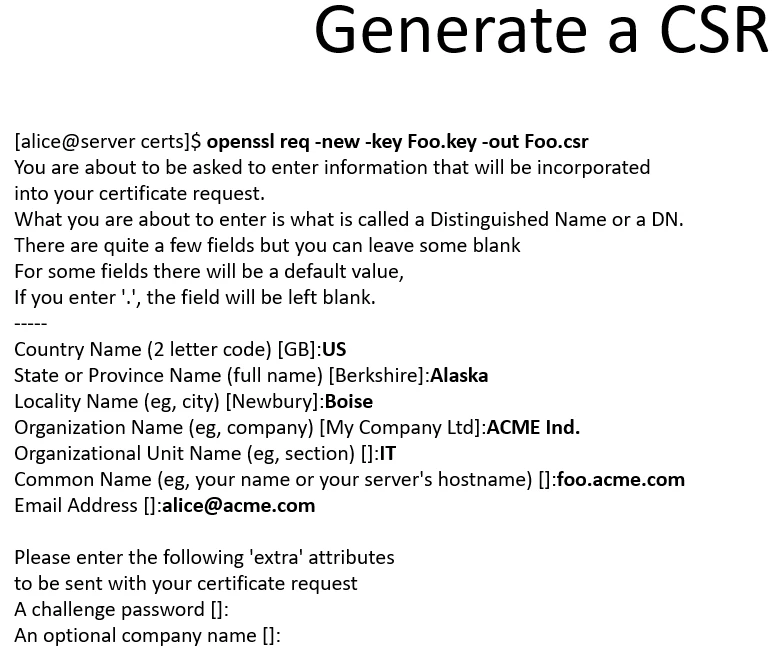
At this point you can submit the CSR to the CA, and they will hopefully give you back a certificate in PEM form. Sometimes though, they may encode it in a different format (look for PKCS encodings), or your application will need it in a different format. If so, OpenSSL provides ways to convert back and forth. To view the CSR after you've created it (in human readable form), you can use OpenSSL as follows:
openssl req -in certrequest.csr -noout -text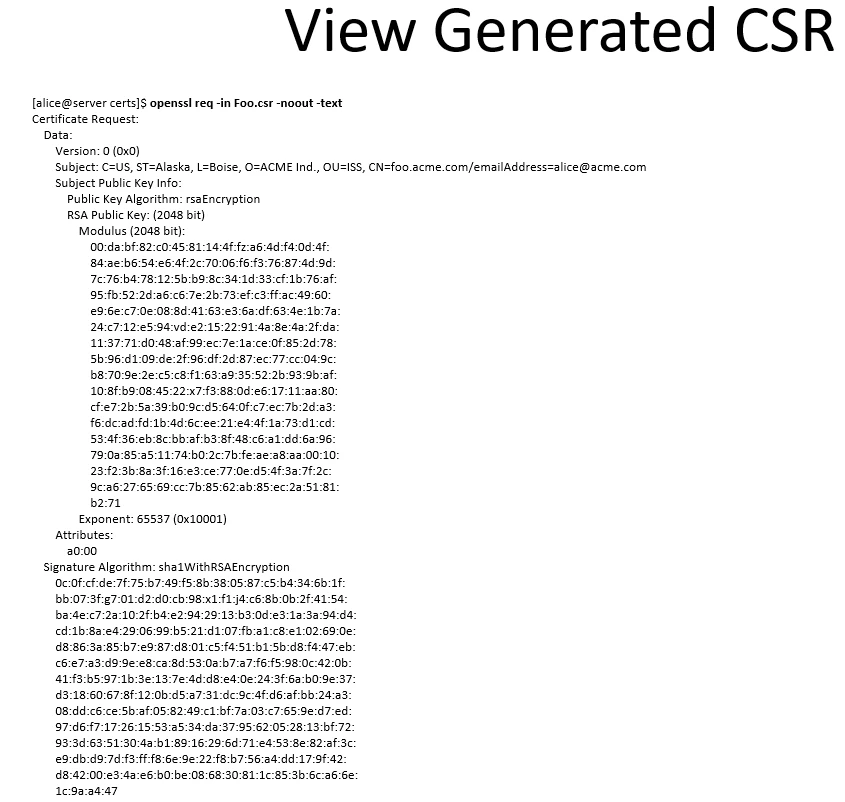
If you wish to self-sign the CSR you created, you can use the below command. A self-signed cert is any cert that has been signed by the same private key that was used to generate the cert's CSR. This is usually used to just get something working, or to do testing. Also, sites internal to a company may use self-signed certs because they don't want to pay for a well-known CA to sign the certs. The biggest downside to self-signed certs is that they are not signed by a trusted third party. So they cause pop-ups in browsers giving certificate warnings (except in the case of internal clients that have been setup to trust the internal CA), and more importantly, your external clients can't (and shouldn't) trust self-signed certs from you. You'll notice the option "-x509". x509 is simply the ITU-T standard for PKI, defining things like certificate formats and what not, so that tells OpenSSL that we are creating an x509 cert.
openssl req -x509 -days 365 -in certrequest.csr -key privatekey.key -out newcert.crtTo streamline the process though, if you know that you just wish to create a self-signed certificate simply to get something working, and you don't care about the browser prompting about unknown CA, and wanna save some steps, you can do the following which will create the private key, and the self-signed cert all in one command (without need for a CSR):
openssl req -new -x509 -nodes -days 365 -newkey rsa:2048 -out playcert.crt -keyout privatekey.key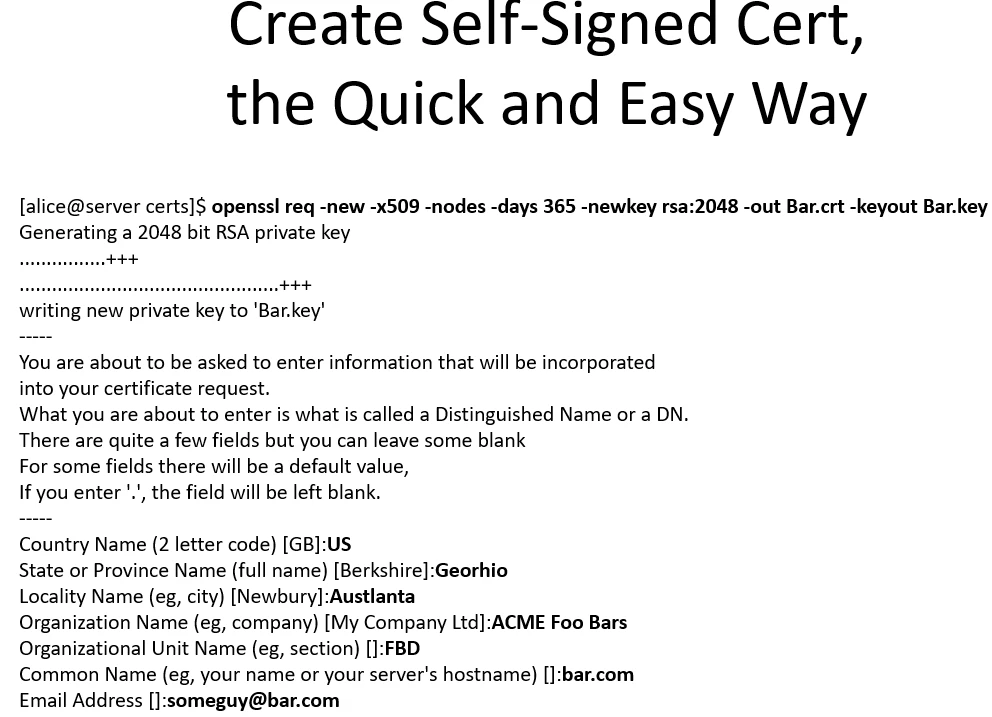
You can use OpenSSL to make your server an actual full-on CA (Microsoft has a CA service you can install on their systems as well). You simply create a CA certificate for the server and a private key to be used for signing. This also has the downside of not being a "well-known" CA though. So external clients will still get warnings and still shouldn't trust your certs. There is a solution (other than purchasing individual certs from a well-known CA for each of your websites), but it apparently costs ridiculous amounts of money and no one really wants to talk to you about it unless you are DoD. But you could have a well-known CA sign your CA's certificate, so that any certs your CA signs will be trusted. This creates a certificate chain, or what you might call a chain of trust. If Mary trusts Bob implicitly, and Bob trusts Charles implicitly, then Mary can trust Dan, because Charles says he's a good guy too.
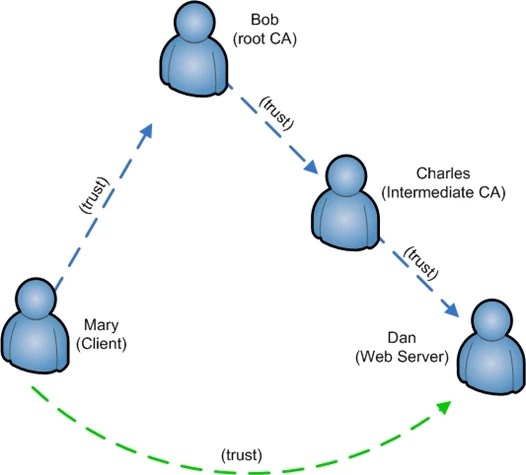
In truth, this isn't quite how human trust works, but it's not too far off the money. Fortunately, digital trust is a lot more black and white than human relationships, so this logic works pretty well. If you've been paying real close attention, then you've realized that we've just created a PKI hierarchy as well. In a large company using digital certificates for any number of purposes, a hierarchical model is used, and usually recommended. A root CA certifies itself and any intermediate CA's, who in turn certify individual systems.
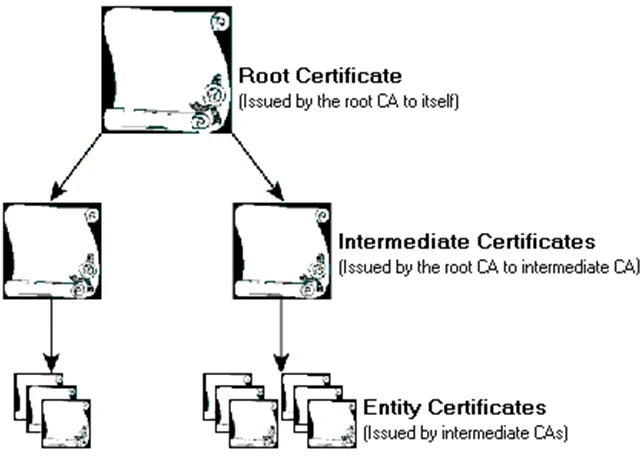
As you can see, if any of these CA's is ever compromised (their private key stolen), then anything they've certified is compromised. MiM attacks can be used, certs can be forged, etc. So it's super important to protect your root CA. Usually it is recommended that the root CA not even be connected to the network. It is only used for certifying intermediate CA's and that's it. To build your OpenSSL box as a CA you need to do the following:
openssl req -config /etc/pki/tls/openssl.cnf -new -x509 -keyout newreq.pem -out newreq.crt -days 3650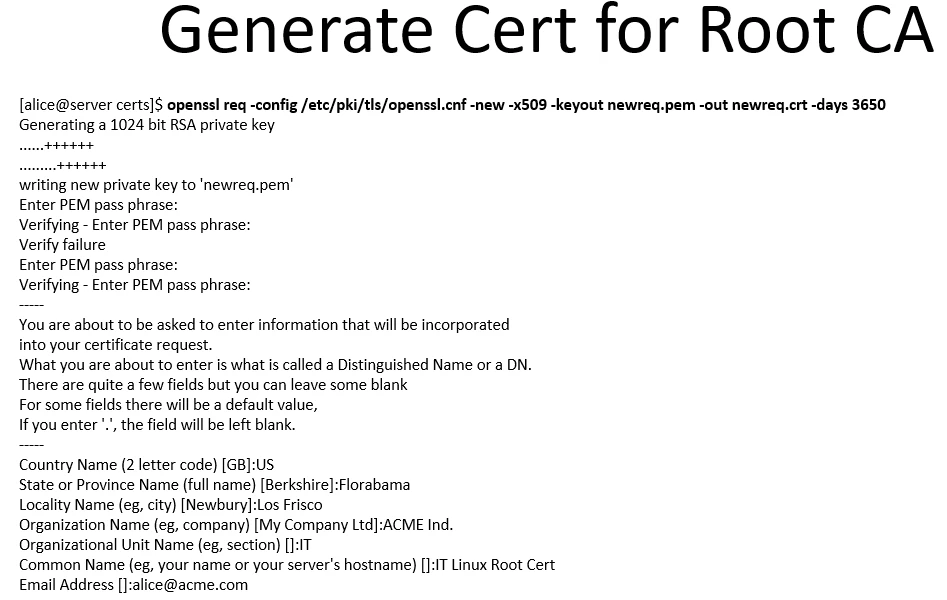
You may not even need to specify your config file, it just depends on the behavior of your OpenSSL installation. This will create a CA that is good for 10 years. You can place the cert and private key where ever you want. I believe it's customary to put them in the "certs" and "private" directories, respectively, under the /etc/pki directory.
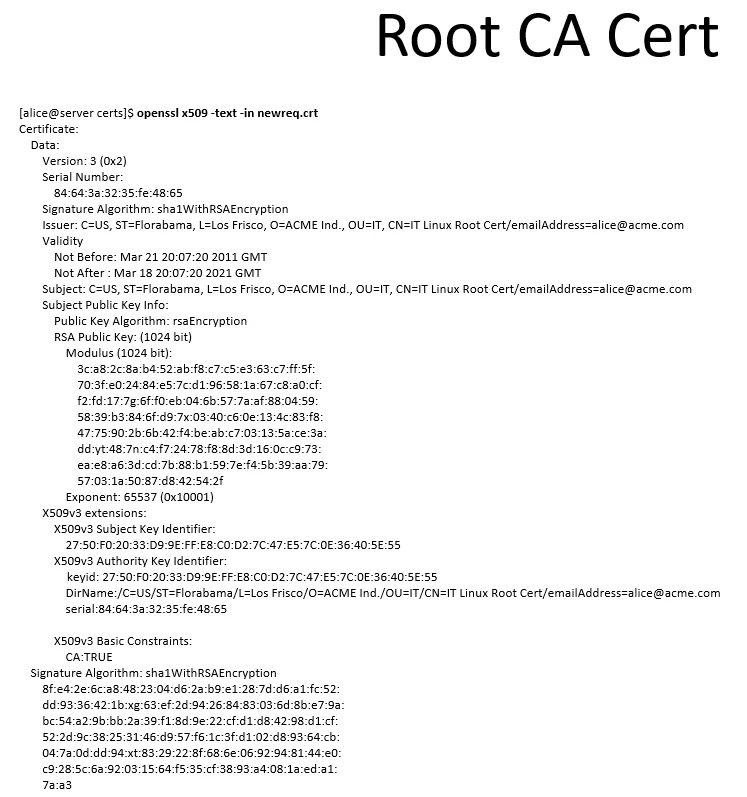
So now I'd imagine you probably want to use your new CA to sign CSR's generated locally or elsewhere. To do that is a little more complicated on the first run. Make sure the file /etc/pki/CA/index.txt exists (you can simply touch it), and that /etc/pki/CA/serial exists. If it is empty, add the number 01 to it. You'll need to be root to do the signing and to mess with the files under /etc/pki. You can check the two mentioned files after you've signed the user's CSR, and you will see that the serial number has incremented and that there is a tracking entry in index.txt.
openssl ca -config /etc/pki/tls/openssl.cnf -outdir ./ -out Testy.crt -in Testy.csr -cert newreq.crt -extensions usr_cert -keyfile newreq.pem -days 3650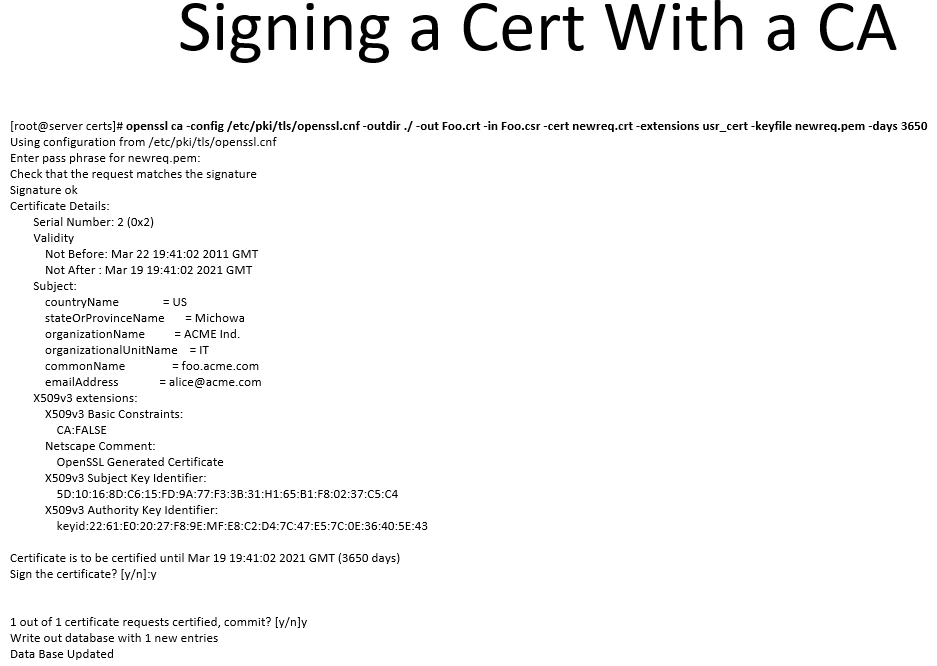
Most of the options in that command should be fairly self-explanatory. The one that you may question is the '-extension usr_cert' option. This references a list of x509 extensions in your openssl.cnf file. In this case, we are setting the "CA:FALSE" directive, under the x509 Basic Extensions field. If the server is a CA, then this should be set to true, but we are creating a cert for a web server. You can check the directives on the CA cert you created earlier and you should see "CA:TRUE" under Basic Extensions.
There's an obvious problem though. What if a certificate is compromised (the private key for www.blah.com shows up on a Google search for example)? To deal with this issue, CA's generally have CRL's (Certificate Revocation Lists). A CRL is a list of certs that have been revoked for one reason or another. The CRL's location is published in a website's certificate in the x509 extensions input by the CA. The browser then checks this CRL, caches it locally (usually) and checks it again periodically at some specified time. You can apparently turn this off on some browsers and servers, though that would be silly. CRL checking is a problem when you've got a webserver that needs to connect to another server over HTTPS, and is blocked from getting outbound on port TCP/80. When setting up a webserver that will be initiating HTTPS connections, it often needs to have port 80 allowed outbound to the world. To view a CRL from Verisign for example, you can use the following command:
openssl crl -in pca2.1.1.crl -noout -text -inform DER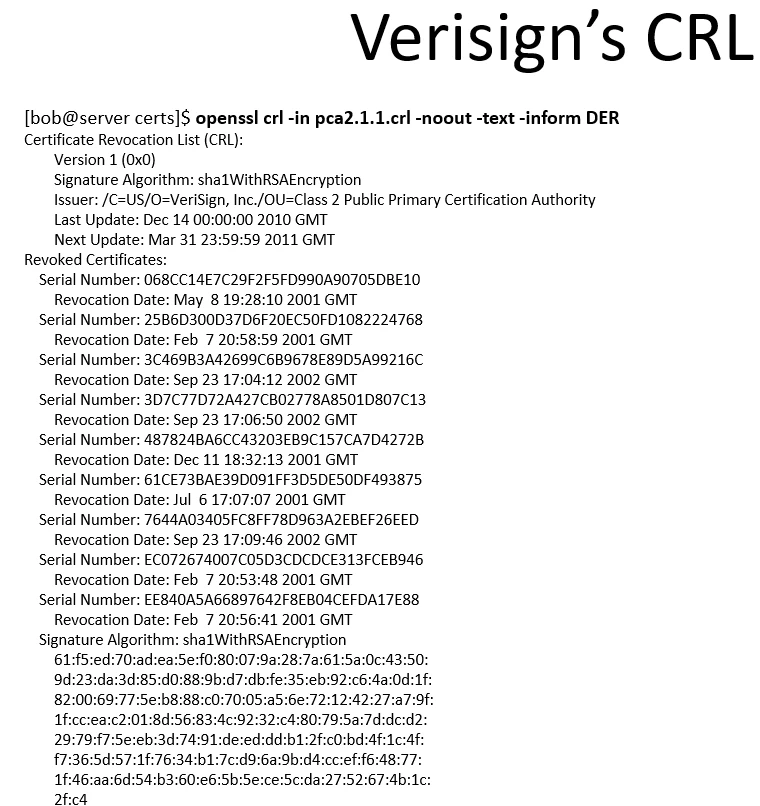
Some uses of SSL require bidirectional authentication in which a client must also have a unique certificate (not just the server). This is not usual on the internet. Typically it is the client that is initially sending sensitive information, and we only care that the server is who it says it is. So authentication is normally unidirectional on the web.
A note about installing a cert for a website in Microsoft IIS: If you generate the server private key, and CSR on another box, PKCS12 format (*.pfx file) will be needed for the Windows IIS box to be able to import the server cert and key. PKCS12 combines the server private key and cert into one encrypted binary file. To combine the cert and private key into a PKCS12 file, use the command: openssl pkcs12 -export -in Foo.crt -out Foo.pfx -inkey Foo.key
The Network Flows
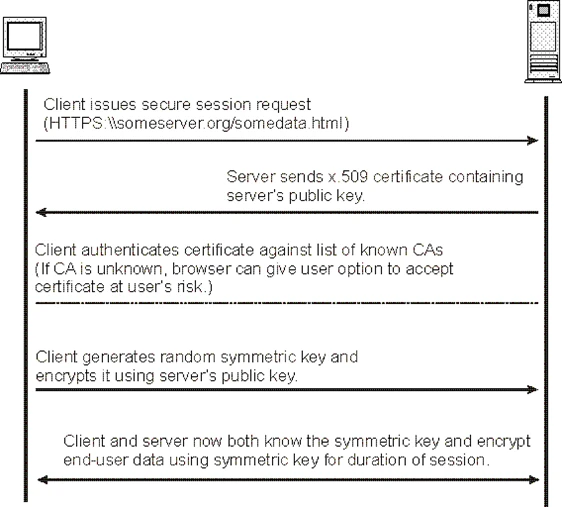
So, now we get to the question: How does SSL/TLS work on the network? To answer that, we'll go through the negotiation of an SSL/TLS connection. As a recap, before a single client ever negotiates an SSL/TLS connection with a server, that server will need to generate a private key and a CSR. Then that CSR will need to be sent to a Certificate Authority (either public or internal) and a certificate will need to be generated. Once the certificate has been received, it can then be installed on the server, along with the private key that goes with the certificate. At that point, the associated website can be made SSL ready.
When a client wishes to establish a connection with a server using SSL or TLS to encrypt the data that is exchanged, it will need to do some negotiation beyond the basic TCP handshake before encrypted data can flow. We will do a walkthrough of the steps required. Keep in mind that some of these messages are often combined in practice for efficiency (often the ServerHello, Certificate and ServerHelloDone messages are combined into one message for example).
1. ClientHello
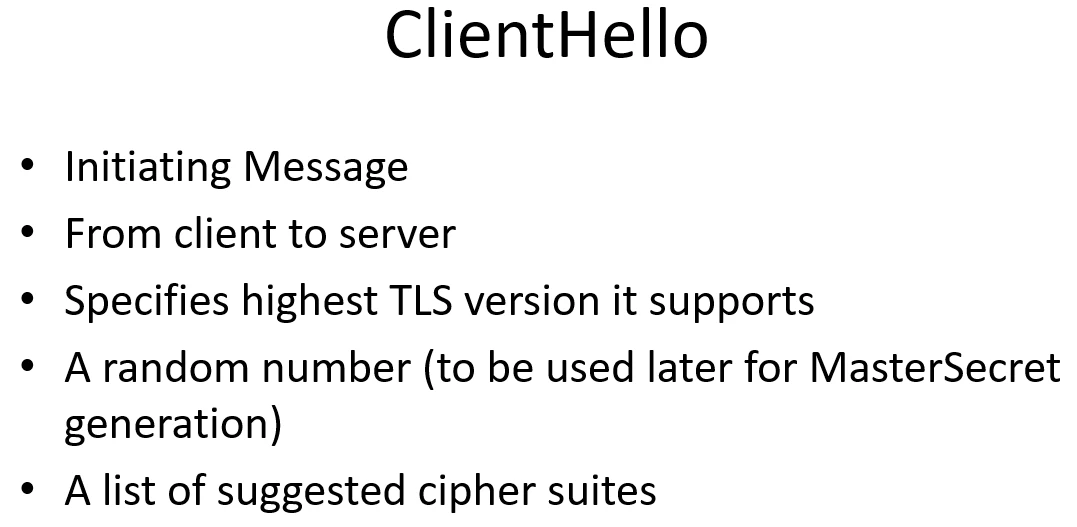
1. A client sends a ClientHello message specifying the highest TLS protocol version it supports, a random number (to be used later for MasterSecret generation), and a list of suggested cipher suites and compression methods.
2. ServerHello
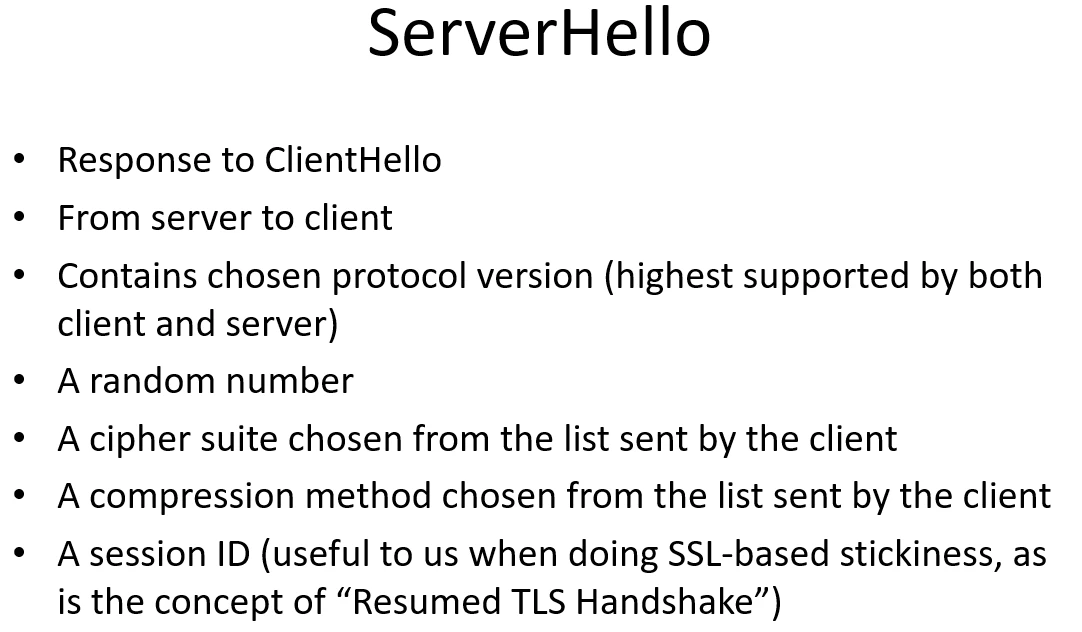
2. The server responds with a ServerHello message, containing the chosen protocol version, a random number, cipher suite and compression method from the choices offered by the client. The server may also send a session id as part of the message to perform a resumed handshake. This latter item is useful when setting up session stickiness in a load-balancer with SSL pass-through. The load-balancer can look at the plain-text sessionID and because the client reuses the sessionID whenever it can, the session remains stuck to the appropriate system.
3. Certificate
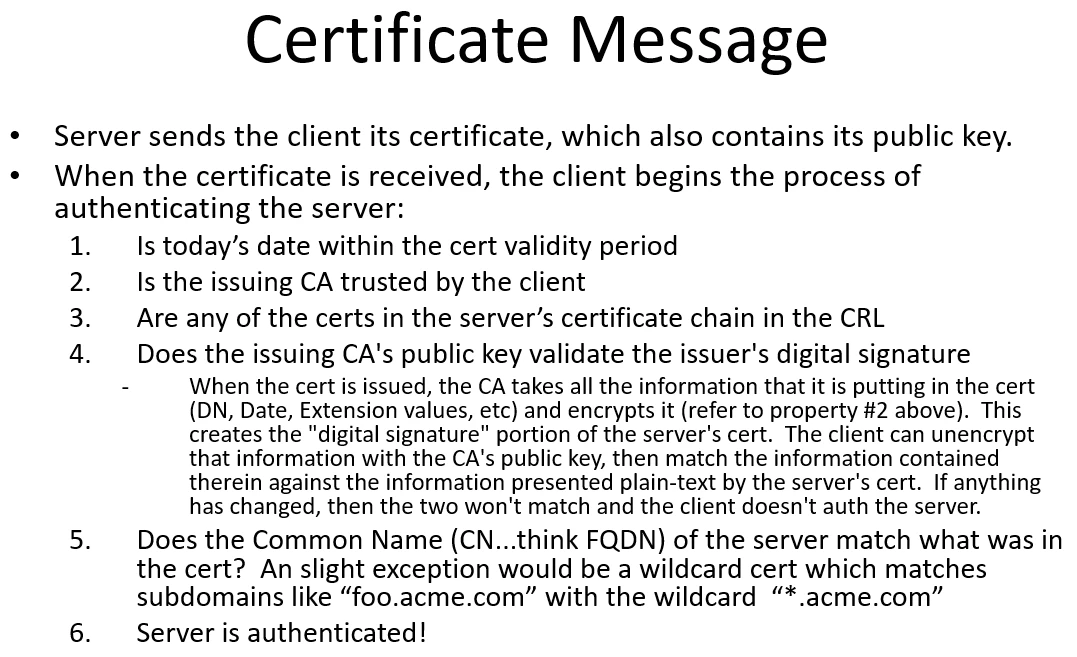
3. The server sends its Certificate message. This contains the server's certificate, which contains the server's public key. At this point, the client begins the process of authenticating the server...that is, verifying that the server is who it says it is.
SSL client authenticates server as follows (http://support.microsoft.com/kb/257587):
1. Is today's date within the validity period
2. Is the issuing CA trusted by the client
3. Are any of the certs in the servers certificate chain in the CRL
4. Does the issuing CA's public key validate the issuer's digital signature. When the cert is issued, the CA takes all the information that it is putting in the cert (DN, Date, Extension values, etc) and encrypts it (refer to property #2 above). This creates the "digital signature" portion of the server's cert. The client can unencrypt that information with the CA's public key, then match the information contained therein against the information presented plain-text by the server's cert. If anything has changed, then the two won't match and the client doesn't auth the server.
5. Does the Common Name (CN...think FQDN) of the server match what was in the cert.
6. Server is auth'd
4. ServerHelloDone
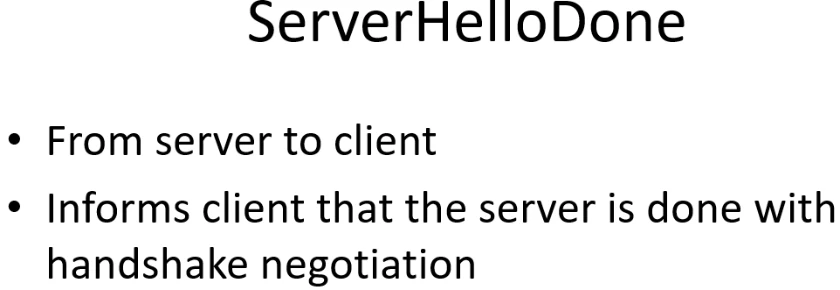
4. The server sends a ServerHelloDone message, informing the client that it's done with negotiation.
5. ClientKeyExchange
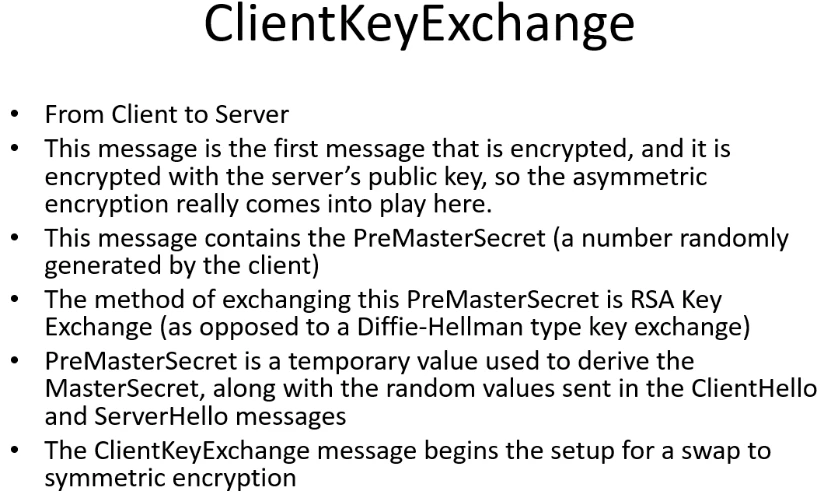
5. The client responds with a ClientKeyExchange message which will contain the PreMasterSecret. This PreMasterSecret will be used to generate the MasterSecret. This is the first encrypted message that is sent and usually the only time that the public key of the server will be used for encryption during the SSL session. This method of using the asymmetric public key encryption for the key exchange is called RSA Key Exchange. There's also the option of using Diffie-Hellman key exchange in certain scenarios, but that's not as common. It will be explained below. The PreMasterSecret that is exchanged is a temporary value used to derive the MasterSecret (which is the actual key used for encryption and hashing). This MasterSecret is a combination of hashes over the random values sent during the Hellos and the PreMasterSecret (See RFC2246)
6. Client ChangeCipherSpec
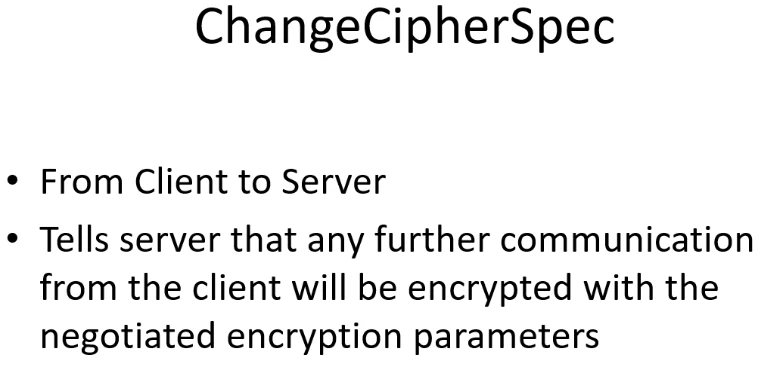
6. The client sends a ChangeCipherSpec message that tells the server that any further communications from the client will be encrypted.
7. Client Finished
7. The client sends a Finished message containing an HMAC over all of the previous handshake messages. This is the first fully encrypted and authenticated message using the negotiated symmetric encryption. If the server cannot decrypt this message and recreate the hash, then negotiation fails.
8. Server ChangeCipherSpec
8. Server sends a ChangeCipherSpec message telling the client that all future communications from the server will be encrypted.
9. Server Finished
9. Server sends a Finished message containing an HMAC over all of the previous handshake messages
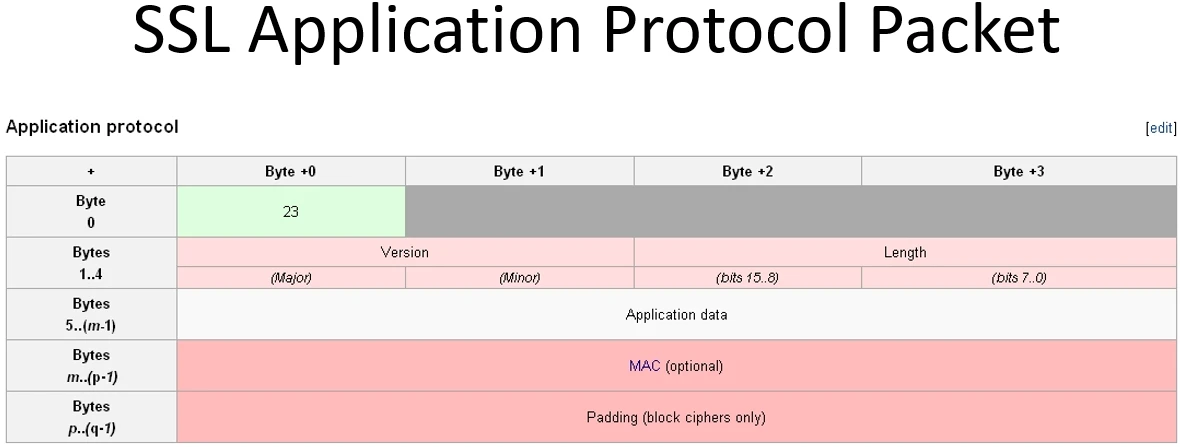
Key Exchange
You'll notice the phrase "Key Exchange" in the above process. Why "key exchange" if we already have certificates to do encryption with? Well, if you're talking about a random webserver on the internet, it doesn't have a certificate for the client that connects in. So only the client could send encrypted information. Also, asymmetric encryption is very processor intensive as opposed to symmetric key encryption which is more efficient. We do the key exchange in order to share a "shared secret" so that we can then do symmetric key encryption for the rest of the session. The asymmetric encryption is just for the SSL handshake and authentication.
We have two methods for that key exchange, the RSA Key Exchange where certificates are used (typical method for web servers), or Diffie-Hellman key exchange (which we use in VPN’s to swap keys back and forth with ISAKMP/IKE). The latter is a really interesting way of using the remainders (modulus) of really large numbers to exchange information without ever exchanging information. Basically, the two parties negotiate two shared public values, then each party comes up with their own independent private values. These private values are used later on to generate the shared key and are never exchanged over the medium. Each party computes another public value using their individual private values, then these public values are swapped and then combined again with the shared values. The end result is a shared value that is reached by both parties without ever exchanging the shared value over the public medium. A very simplistic (not exact, but similar) example might be as follows:
The number 5 is given to both Alice and Bob.
Alice picks a private number 3 and keeps it secret.
Bob picks a private number 9 and keeps it secret.
Alice adds 5 to her private number to get 8.
Bob adds 5 to his private number to get 14.
Alice sends Bob her new number (still not exposing the private number).
Bob sends Alice his new number (still not exposing the private number).
Alice adds her private number to the sum Bob sent her to get 17.
Bob adds his private number to the sum Alice sent him to get 17.
The computed shared secret is 17.
This is obviously not the right algorithm as you can easily crack these numbers and no remainders are used, but it illustrates the concept of exchanging a piece of information mathematically, without ever really exchanging it. The actual algorithm doesn't use simple addition. Where our addition was easy to break, the modulus' of large numbers are virtually impossible to crack. Even with small examples you can see that the remainder 2 could be the result of 5/3, or 62/20 or 46/11, etc. The actual algorithm looks as follows:
Diffie-Hellman:
n = 11 -> public prime
g = 4 -> public random value
a = 6 -> Alice's private value
b = 8 -> Bob's private value
A = g^a mod n = 4 -> Alice's computed public value
B = g^b mod n = 9 -> Bob's computed public value
M = B^a mod n = g^ba mod n = 9 -> Alice's shared secret
M = A^b mod n = g^ab mod n = 9 -> Bob's shared secret
The weakness here is that Alice has no way to know that Bob is really who he says he is, and that she's not actually talking to Charlie. There are quite a few dishonest people out there after all. The way around that is to do message integrity verification with pre-shared keys and HMACs so that Alice knows that Bob is indeed Bob. If you'll look at the last steps of the SSL/TLS handshake, you'll see that message integrity is used there as well.
Message Integrity
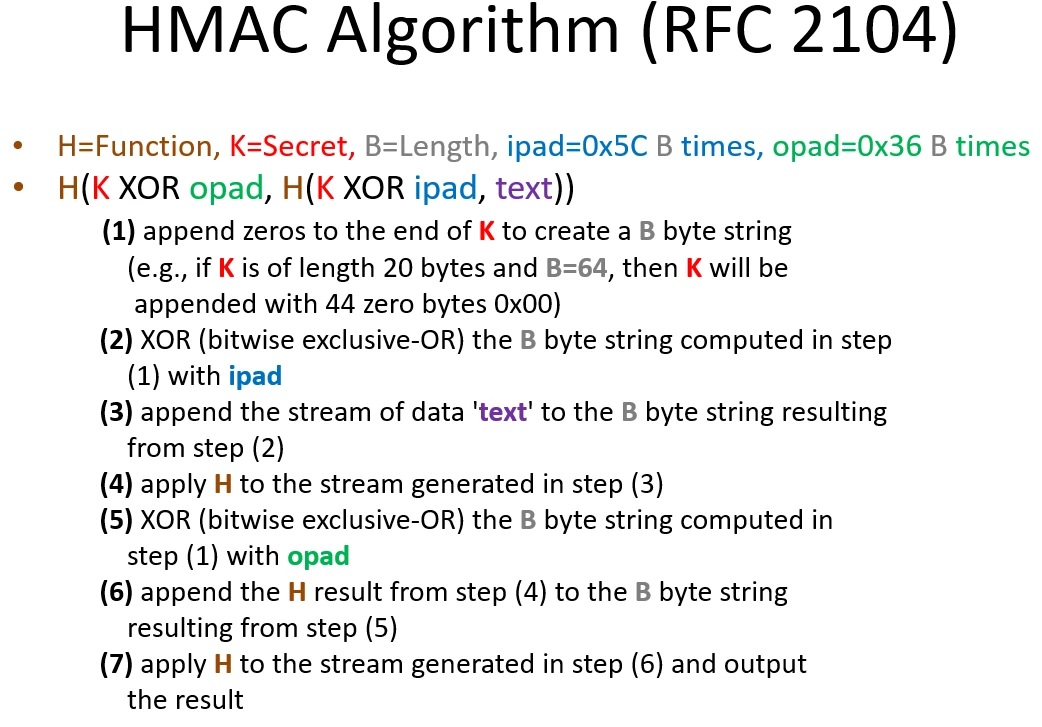
Message integrity is done with some method of HMAC (keyed-Hash Message Authentication Code). In order to ensure integrity, the message (or data) being sent is hashed along with the master key (or pre-shared key), so that there is some secret data in there. The HMAC algorithm defined in RFC2104 is below. It's surprisingly simple.
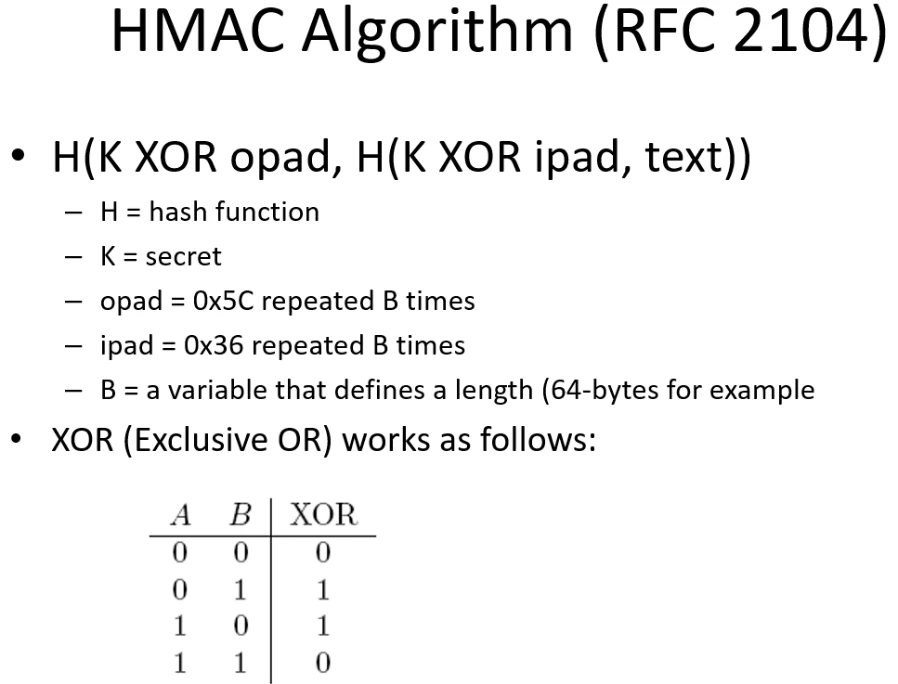
Speaking of integrity, as an aside you can also use OpenSSL to create an MD5 hash of a file. This is basically what Cisco does with their IOS files.
openssl dgst -md5 SomeFile.zip
If you're still fuzzy on some things, or want to know more here are some great links:
http://en.wikipedia.org/wiki/Transport_Layer_Security
http://www.openssl.org/docs/apps/openssl.html