

Types of IP Addresses: IPv4, IPv6, Public, Private and Reserved
There are many types of IP addresses: IPv4 and IPv6, public and private, plus special reserved ranges. Here's how to tell them apart and find yours.
IPv4 and IPv6
There are many types of IP addresses. Starting at a protocol level, there are IP version 4 (IPv4) addresses and IP version 6 (IPv6) addresses. In the United States IPv4 is widely and commonly used both on the internet and privately. Elsewhere in the world (like China) there has been a more concerted effort to move to the newer IPv6 address space. There are many extremely technical challenges with migrating from IPv4 to IPv6 and it can get expensive and risky very quickly. Because of that, most organizations that are currently on IPv4 and have all the IP space they need have a lot of good reasons to stay on IPv4. However, for public IP space it can be fairly easy (depending on the organization's needs and architecture) to add IPv6 space so that their external services are reachable by both versions of the protocol.
IPv4 addresses use a dotted-quad notation with decimal numbers from 0-255 in each octet (dotted chunk). Each dotted chunk represents 8 bits and the address gives a total of 32 bits of address space. An IPv4 address looks like:
203.0.113.82
Feel free to play around with IPv4 address calculation on IP-Planner.com.
IPv6 addresses use a more complex looking structure with eight sets of four hexadecimal (hex) digits. Each of these groups is equivalent to 16 bits, giving a total of 128 bits of address space. An IPv6 address looks like:
2001:db8:85a3:8d3:1319:8a2e:370:7348
Within these versions of the IP protocol there are many different reserved spaces, which indicate a type of space.
IPv4 Address Allocations and Types
Public IP Space
Most commonly, you will hear reference to two main types of IPv4 (just "IP" usually) space: public and private. Public IP space is routable on the internet, and is how public systems talk to one another. You are also behind a public IP (although your workstation or mobile device likely has a private IP right now). You can see this public IP by going to goodtestsite.com and looking at the IP displayed at the top in the field "Your IP". That is the public IP you present to the internet.
You can research public IP space on arin.net. Here is the ARIN entry for Google's ubiquitous DNS servers (8.8.8.8). With this information you can also see how that space looks from the internet's perspective.
Private IP Space
The device you are using to connect to the internet is likely on a private IP address space itself. The most common of these is defined in IETF RFC1918 and includes the ranges below (see the page on CIDR notation, which will help you understand some of the IP notation in this guide):
10.0.0.0    - 10.255.255.255   (10/8 prefix)
172.16.0.0  - 172.31.255.255   (172.16/12 prefix)
192.168.0.0 - 192.168.255.255  (192.168/16 prefix)
Private addresses are not routable on the internet. Instead, they have to be translated to a routable address. This is done by your internet edge device (router, firewall, etc). If your device has an IP address of 192.168.1.12 and your public address is 4.4.8.8, then your firewall or router changes the source address of the packets you send to the internet to that 4.4.8.8 address. It does this through a process called NAT (Network Address Translation).
There is another IP space that you might see on your mobile device, and it is usually used within Internet Service Provider (ISP) and cell carrier networks. That space is:
100.64.0.0 - 100.127.255.255 (100.64/10 prefix)
There are other less commonly encountered spaces, like the large space dedicated to private multicast addressing (not routable on the public internet). That is:
239.0.0.0 to 239.255.255.255
Special Reserved Addresses
There are a few special reserved addresses in IPv4 that are worth noting. The first of these is the loopback or localhost address, which looks like:
127.0.0.1
That designates the machine you are working on. Every machine has this same address and it can be used to communicate between processes on the same system. There is a joke about this address among network engineers, as shown on this t-shirt:
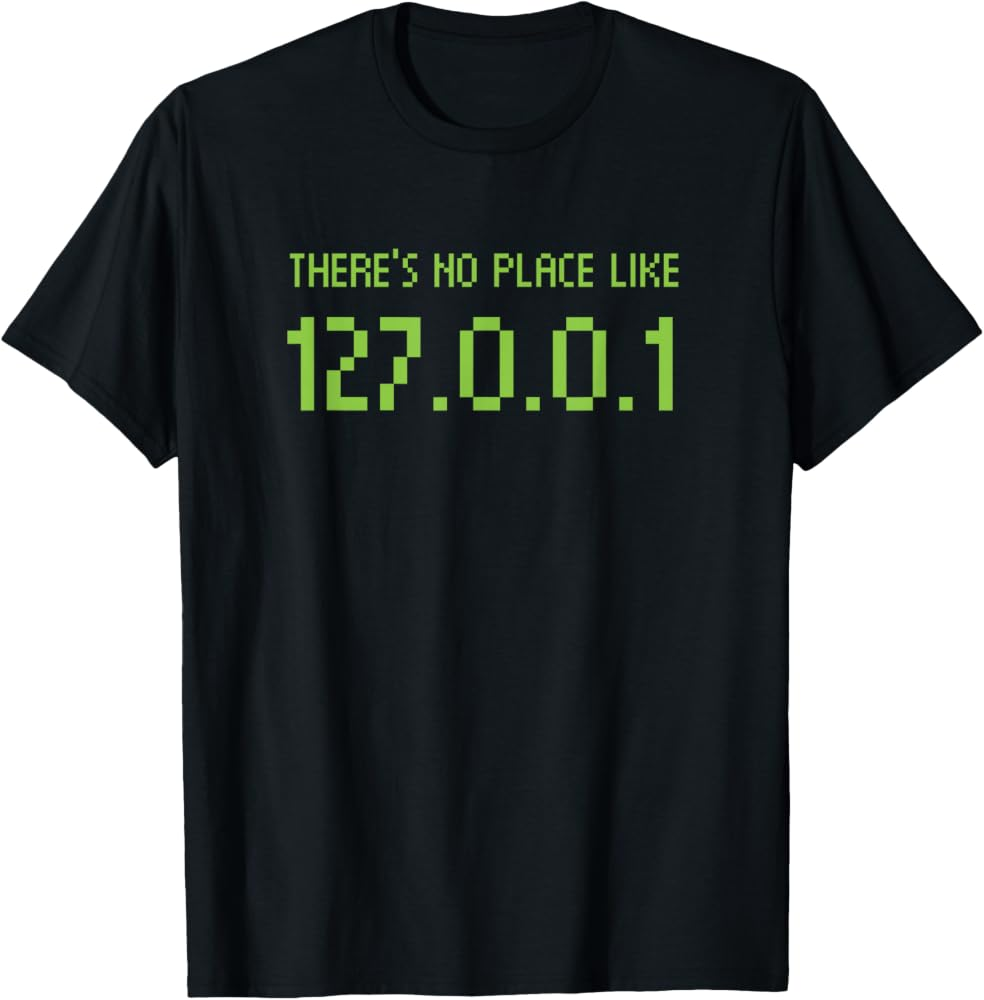
Classically, there are also two reserved addresses in any subnet you create. The very first address is the network or subnet address. If you are using the subnet 192.168.10.0/24 (192.168.10.0 255.255.255.0), then it would be:
192.168.10.0
The last IP address is also reserved, and it is called the broadcast address. In this case it would look like:
192.168.10.255
This is used to address all hosts on the subnet. In modern practice these may be ignored in certain scenarios (like on point-to-point links where we may use a /31).
The Subnet Calculator will tell you what type of address space you are subnetting or have entered, just below the "Hosts/Net" field.
IPv6 Address Allocations and Types
Public IP Space
IPv6 is quite different. Initially it didn't really have a concept of public or private; everything was considered public, but there were reserved ranges that shouldn't be routable on the internet, like Link-Local addresses. Currently the Global Unicast Address (GUA) range, which maps to something like the IPv4 public IP address concept, is written as 2000::/3, which expands out to:
2000:0000:0000:0000:0000:0000:0000:0000 - 3FFF:FFFF:FFFF:FFFF:FFFF:FFFF:FFFF:FFFF
Private IP Space
From early on IPv6 had a concept of Link-Local addresses, which are for system-to-system communications on a single network segment. These are automatically assigned by an algorithm to your network adapter and look like:
fe80::2d52:e65c:2b59:a4cd
Their range is fe80::/10, which expands as fe80:0000:0000:0000:0000:0000:0000:0000 to febf:ffff:ffff:ffff:ffff:ffff:ffff:ffff. Usually though, these are implemented with just the fe80 at the beginning so they are easily recognized. If your device has IPv6 enabled you can see some of these in your network properties.
IPv6 later adopted the concept of Unique Local Addresses (ULAs), which are in the block fc00::/7.
There is also a concept of a loopback address in IPv6, and that is notated as ::1/128, which expands to:
0000:0000:0000:0000:0000:0000:0000:0001
Broadcast is not a thing in IPv6; multicast is expected instead. So there is no reserved address for this.